缘起
2025-12-24 21:35:30 星期三
MAUI没有Popup,百度也找不到大佬的现成轮子。
CommunityToolkits 实现的 Popup 有严重的内存泄露问题,本想仿写 CommunityToolkits 源码实现,未果。
问了下通义,发现轮子雏形挺简洁,根本不需要 CommunityToolkits 那一套。
以下是重新封装成 可传出<TResult>的轮子。
Popup容器
PopupPage.xaml.cs
PopupPage.xaml
Popup
Popup.cs
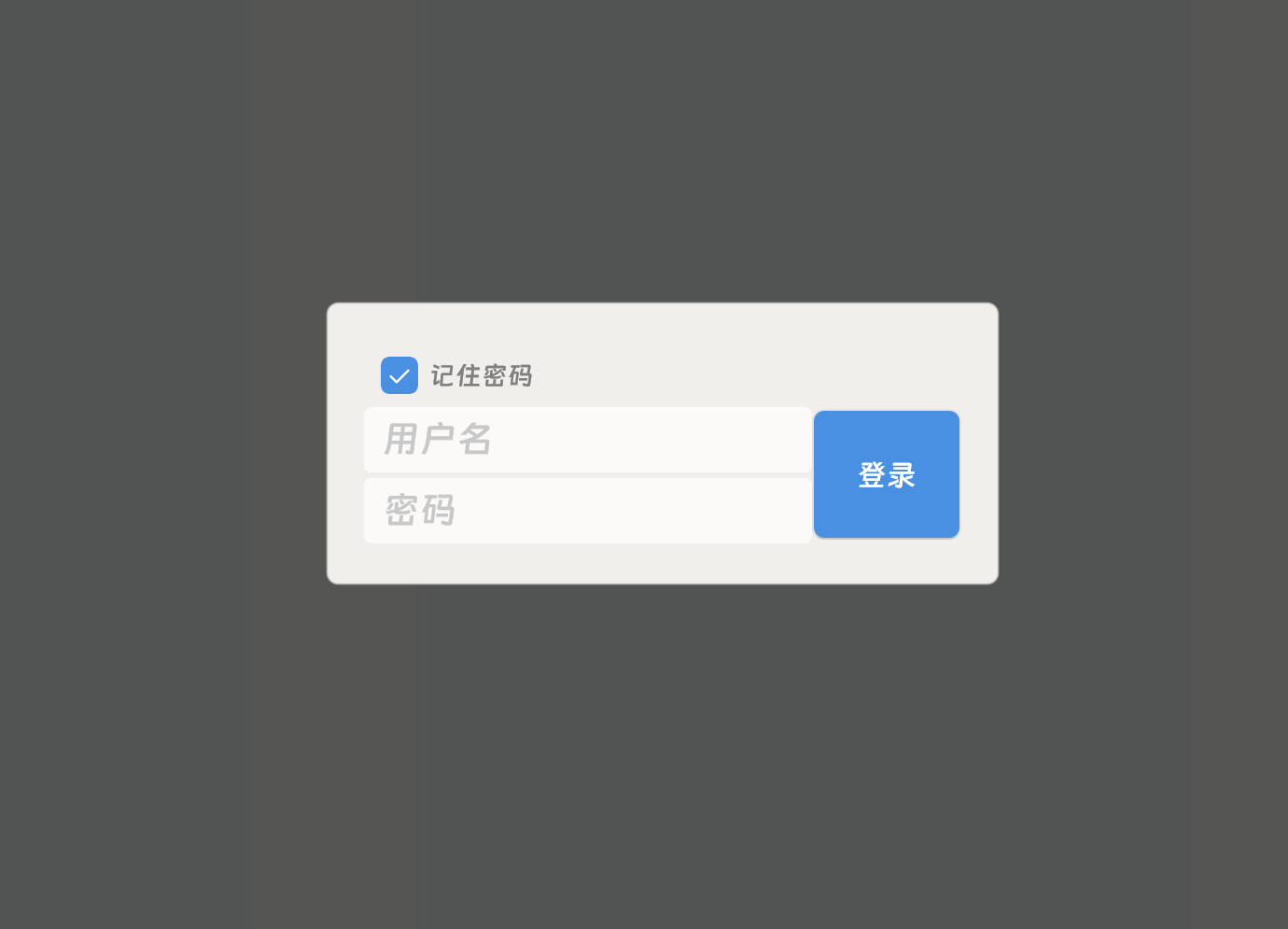
成果
使用示例
Popup
PopupPage.xaml.cs
static class PopupPageExtension
{public static Task<Popup<TResult>.PopupResult> ShowAsync<TResult>(this Popup<TResult> popup, Page invoker){var page = new PopupPage(popup);invoker.Navigation.PushModalAsync(page);return page.Popup.WaitResultTask as Task<Popup<TResult>.PopupResult>;}
}
/// <summary>
/// 这是包装,请勿食用
/// </summary>
partial class PopupPage : ContentPage
{public PopupPage(ContentView popup){InitializeComponent();mOverlay.Opacity = 0;mBorder.Content = popup;mBorder.Scale = 0.01;}protected override void OnAppearing(){base.OnAppearing();Montages(false);}async Task Montages(bool onDismiss){if (!onDismiss){var t1 = mOverlay.FadeTo(1, 150);var t2 = mBorder.ScaleTo(1, 200, Easing.CubicOut);await Task.WhenAny(t1, t2);}else{var t1 = mOverlay.FadeTo(0, 150, Easing.CubicOut);var t2 = mBorder.ScaleTo(0.01, 150);await Task.WhenAny(t1, t2);}}protected override void OnNavigatedTo(NavigatedToEventArgs args){base.OnNavigatedTo(args);}private async void OnOverlayTapped(object sender, EventArgs e){(sender as VisualElement).IsEnabled = false;try{await CloseAsync(true);}finally{(sender as VisualElement).IsEnabled = true;}}public interface IPopup{bool TrySetResult();bool TrySetCancel();object WaitResultTask { get; }void OnClose();}public IPopup Popup => mBorder.Content as IPopup;public async Task CloseAsync(bool isCanceled){NavigatedFrom += isCanceled? IsCanceled_NavigatedFrom: SetResult_NavigatedFrom;await Montages(true);await Navigation.PopModalAsync();}static void IsCanceled_NavigatedFrom(object sender, NavigatedFromEventArgs e){var This = sender as PopupPage;This.NavigatedFrom -= IsCanceled_NavigatedFrom;This.Popup.TrySetCancel();This.Popup.OnClose();}static void SetResult_NavigatedFrom(object sender, NavigatedFromEventArgs e){var This = sender as PopupPage;This.NavigatedFrom -= SetResult_NavigatedFrom;This.Popup.TrySetResult();This.Popup.OnClose();}
}
PopupPage.xaml
<?xml version="1.0" encoding="utf-8" ?>
<ContentPage xmlns="http://schemas.microsoft.com/dotnet/2021/maui"xmlns:x="http://schemas.microsoft.com/winfx/2009/xaml"x:Class="PopupPage"x:ClassModifier="internal"BackgroundColor="#50000000"><Gridx:Name="mOverlay"BackgroundColor="#80000000"Opacity="1"><!-- 遮罩层(点击关闭) --><Grid.GestureRecognizers><TapGestureRecognizer Tapped="OnOverlayTapped" /></Grid.GestureRecognizers><!-- Popup 内容容器 --><Border x:Name="mBorder"HorizontalOptions="Center"VerticalOptions="Center"><Label Text="找我有啥事?"/></Border></Grid>
</ContentPage>
Popup.cs
namespace ZhuSheng.Gpr.Controls.Popup;/// <summary>
/// 这是容器,请继承使用。
/// </summary>
abstract class Popup<TResult> : ContentView, PopupPage.IPopup
{public record class PopupResult(bool IsCanceled, TResult Result);public TResult Result { get; protected set; }/// <summary>/// 这个是给 用户 等待用的。/// 等待结束时,Popup 必须已经销毁了。/// 所以 ResultTask.Set 只能在 NavigatedFrom 调用。/// </summary>readonly TaskCompletionSource<PopupResult> ResultTask = new();Task<PopupResult> WaitResult => ResultTask.Task;#region IPopupobject PopupPage.IPopup.WaitResultTask => WaitResult;bool PopupPage.IPopup.TrySetResult(){return ResultTask.TrySetResult(new PopupResult(false, Result));}bool PopupPage.IPopup.TrySetCancel(){return ResultTask.TrySetResult(new PopupResult(true, Result));}public abstract void OnClose();#endregionPopupPage GetPopupPage(){var parent = Parent;while(parent is not null){if (parent is PopupPage page)return page;parent = parent.Parent;}return null;}protected async Task CloseAsync(bool isCanceled){var page = GetPopupPage();await page.CloseAsync(isCanceled);}/// <summary>/// 用户取消/// </summary>public async Task CloseAsync() => await CloseAsync(true);
}
使用示例
partial class LoginPopup : Popup<UserInfo>
{public LoginPopup(){InitializeComponent();// TODO}public override void OnClose(){// TODO}
}